

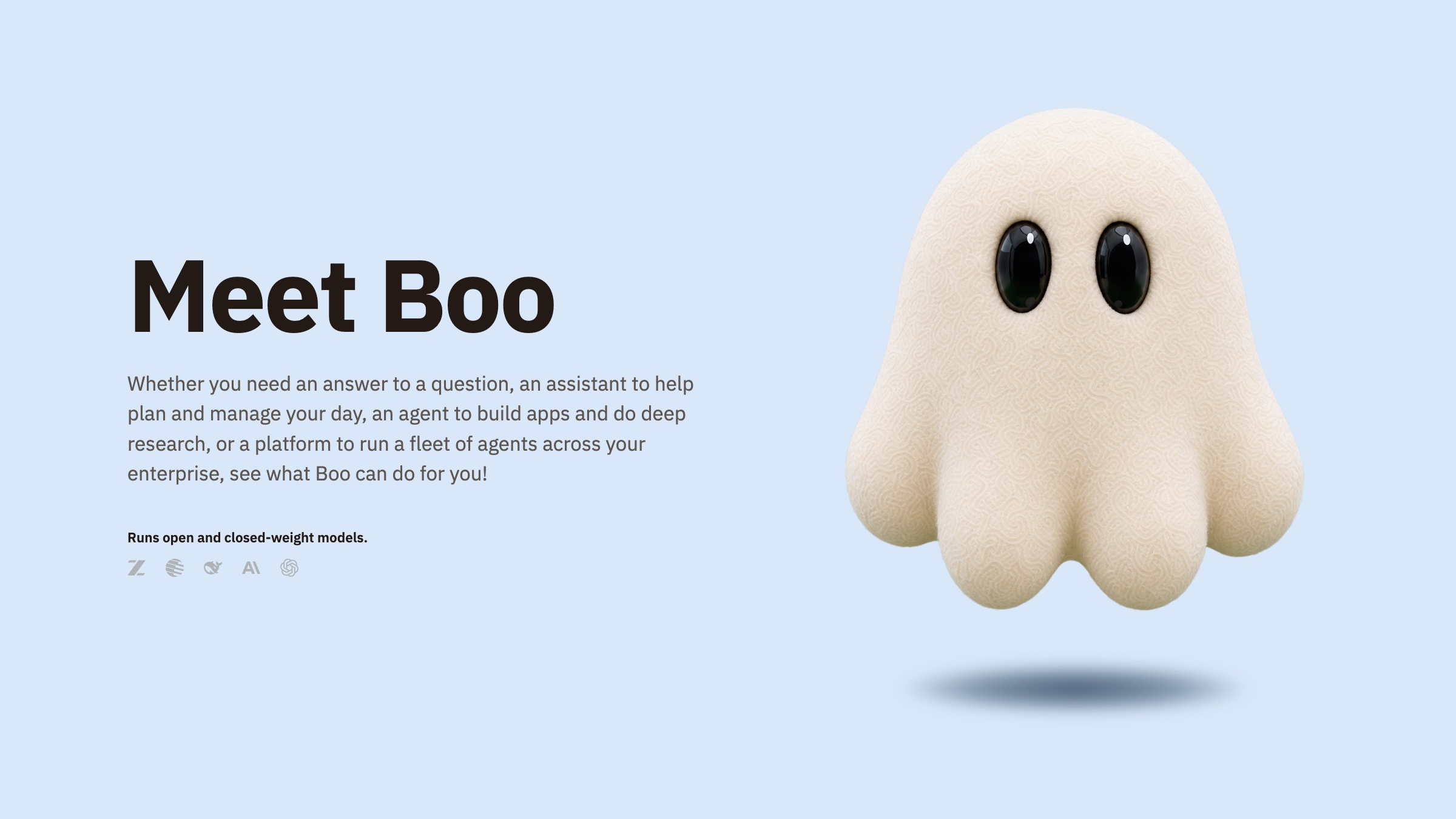
Boo is a powerful AI agent that handles everything from a quick question to deep coding sessions on your own computer. It's built for casual users, pro users, businesses and enterprises, and it lets you choose your model: popular closed-weight models like Claude Opus and GPT-6 Astra, alongside open-weight models that are new to many people, including GLM, DeepSeek and Kimi K3.
Different AI models excel at different tasks. That's the nature of how models are built: the weights and training of one model will always differ from another's. One model writes the clearest prose, another is the sharpest at code, and another gives a solid answer at a fraction of the price. People deserve the flexibility to use the right model for the right task, and Boo gives them that flexibility with the same ease of use they expect from Claude and ChatGPT.
There's no complicated setup. Sign up, download Boo for your Mac, Windows or Linux computer, and start chatting or coding. You can also chat and code with Boo in your browser.
One agent, many models
Every conversation in Boo starts with a choice of model, right in the message box. Pick Claude Opus for writing and coding, GPT-6 Astra for deep research and technical problems, or an open-weight model like GLM, Kimi K3 or DeepSeek for everyday work at up to 10x lower cost. You can change models between messages, and Boo shows which model answered, how long it took and how many tokens it used, so you can see what each choice costs.
Your usage is simple too. Every plan includes a monthly usage allowance with no weekly limits, and if you need more, you can buy credits at any time. Usage in Boo shows your tokens for today, the last 7 days or this month, by model, across all of your devices.
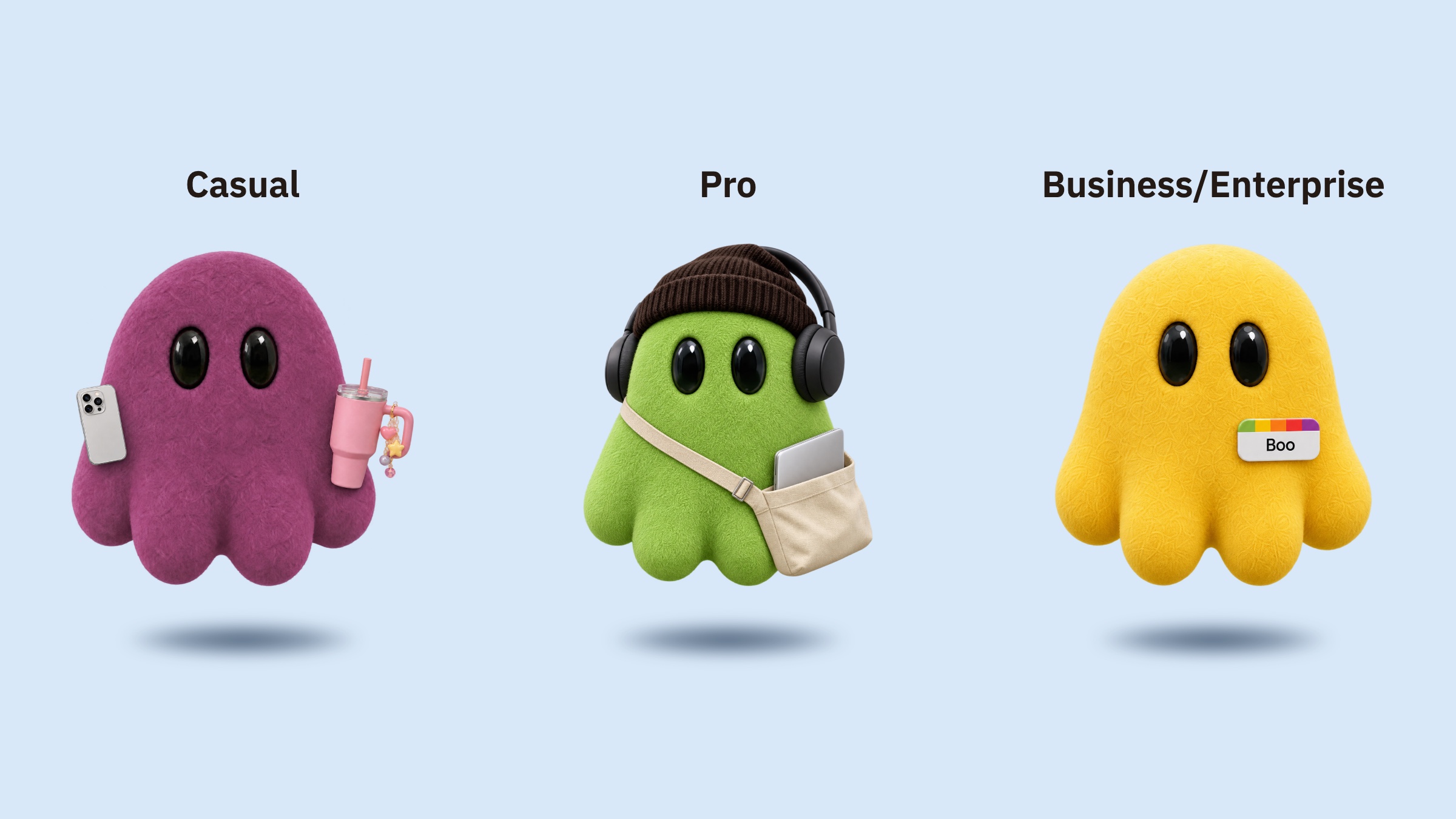
Casual Users
For most people, Boo starts as a conversation. Ask a question, plan a trip, draft an email, make sense of a contract or think something through. Boo's answers stream in as they're written, and you can stop one, ask it to try again or simply keep the conversation going.
When a question needs more than what a model already knows, Boo can research it, searching the web and reading the pages it finds before it answers. You can attach images, PDFs, Word documents and spreadsheets to a message and ask Boo about them, and you can paste a screenshot straight into the message box.
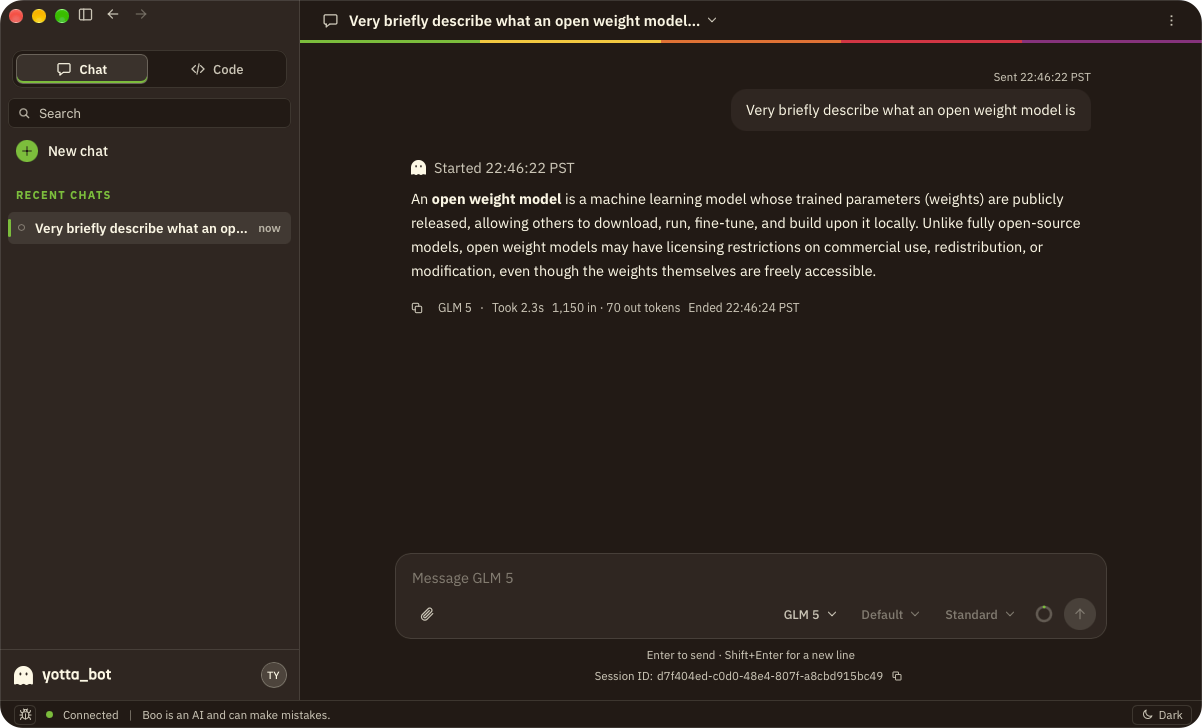
Chat is on your desktop and on the web, and it starts with the Casual plan at $5 a month.
Pro Users
For pro users, Boo is a coding agent. Open a folder on your computer and Boo can read, search and understand the project, propose edits you review line by line, run commands, check Git status and commit what you've staged. It works the way you'd expect from a modern coding agent, with your choice of model behind it.
You decide how much Boo can do on its own. Ask for approval stops at every edit and command so you can allow it once, always allow it or deny it. Approve for me lets routine steps through, and Full access lets Boo work without stopping, with a Reduce access button always in view. You can lower access at any moment, even in the middle of a task.
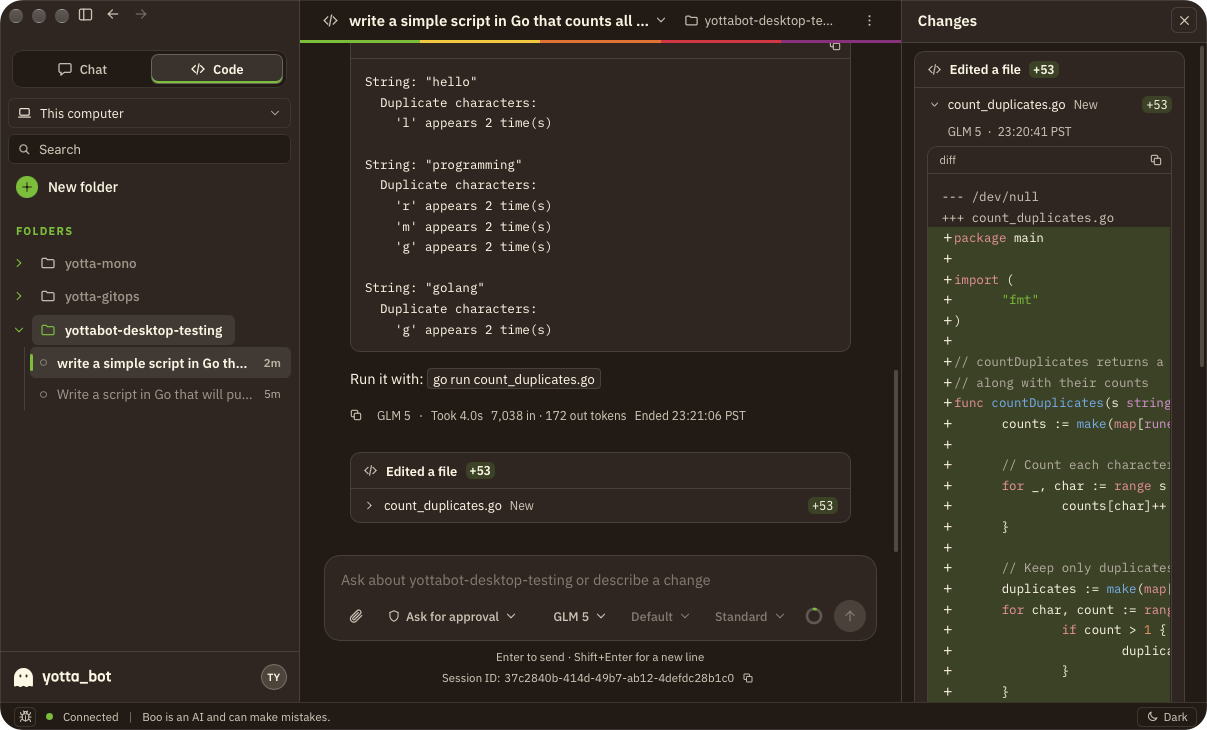
Boo can split bigger jobs across several agents. Each subagent appears as its own session nested under the one that started it, so you can see what each is doing and step in where you need to. Boo can also search the web while it codes, to check documentation or an error message it hasn't seen.
Your projects don't have to live on your computer. From Code, in Boo Desktop or in your browser, you can start cloud machines running Linux, Windows or macOS and open a folder on any of them. Boo works there just as it does on your computer, so you can build and test your apps on several machines at once, and stop each one when you're done.
Beside each session, Boo keeps the tools you'd otherwise switch windows for: a Changes panel with every edit and its diff, a Files tree, a Terminal for your own commands, a Browser, and a Console with everything the session did.
Code is included in every plan, on macOS, Windows and Linux, and in your browser. Pro plans, from $50 a month, are for people who code with Boo all day, with 15x to 200x the usage of Casual.
Businesses and Enterprises
Businesses and enterprises reach everything from the YottaBot Access Portal, their own page at their own address, where each person signs in once and opens the apps their organization gives them. Two of those apps put administrators in charge.
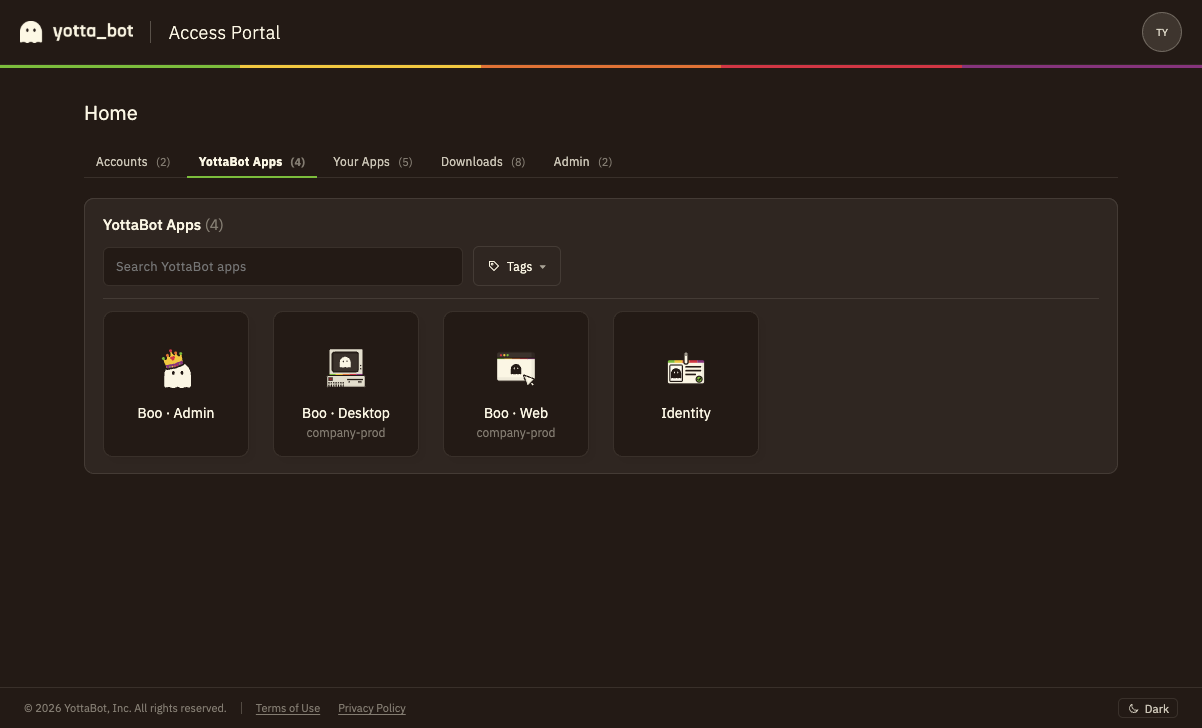
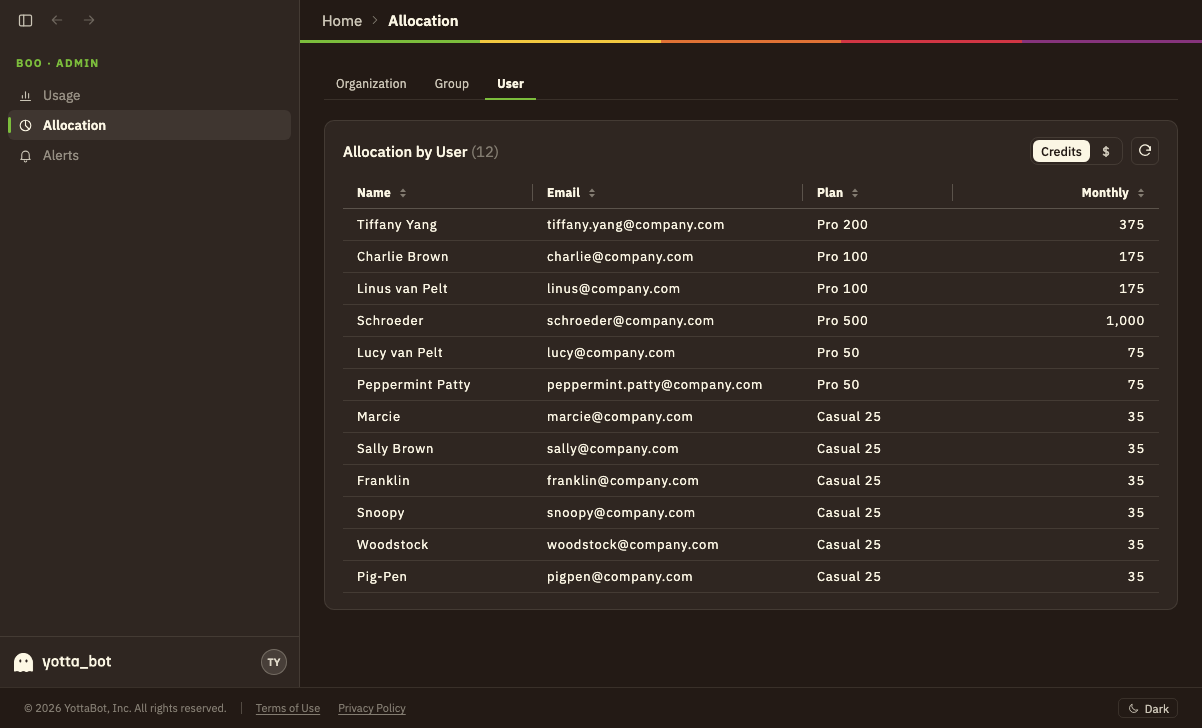
Boo · Admin shows how your organization uses Boo and decides how much each team and person can use. Usage breaks down by model, by cloud service, by account, by group and by person, down to a receipt for every request. Allocation sets how much of the organization's usage each group gets, and gives any person an allowance of their own. Credits and your plan are on the same page, so there are no surprises at the end of the month.
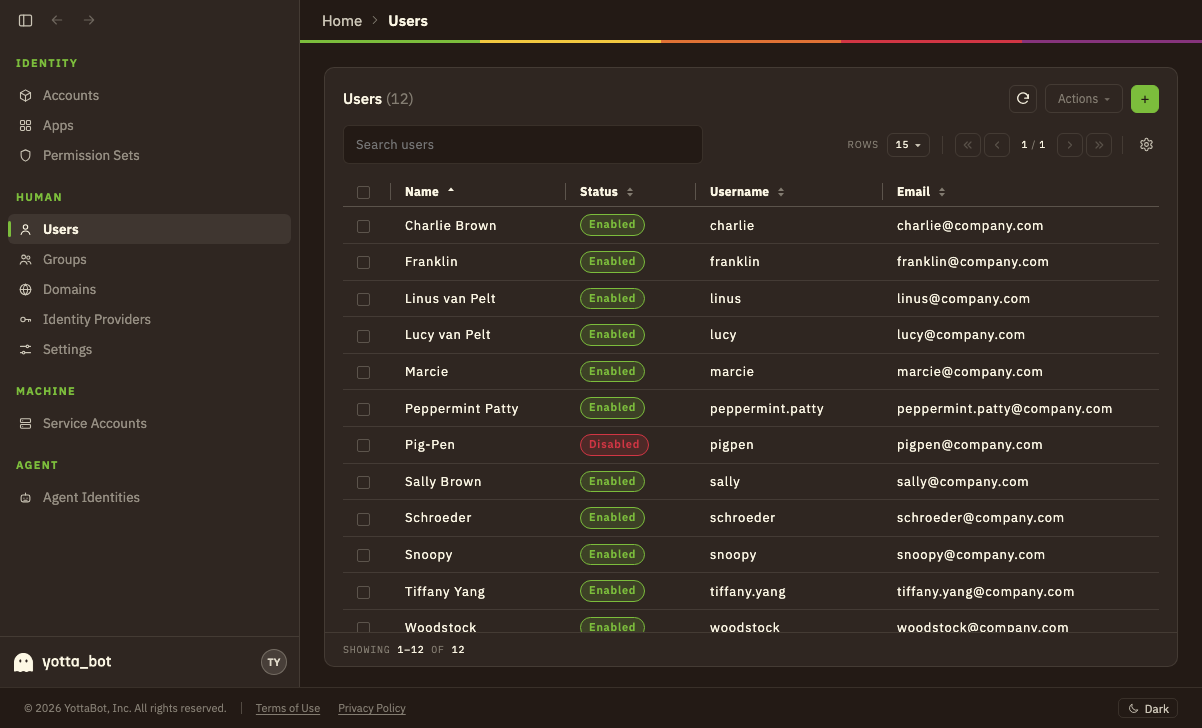
YottaBot Identity is where your organization manages its people. Add users and groups, assign apps to them with single sign-on over OIDC or SAML, and connect the identity provider you already use, such as Okta or Microsoft Entra ID. Verify your company's domains so colleagues can join without an invitation, set your sign-in policy, and control who can do what with permission sets. A person in a group gets the group's apps, and they appear as tiles in their Access Portal.
Business plans start at $30 per person per month for teams of 2-99, with seat tiers from Casual 25 to Pro 500, so each person gets the usage their work needs. For organizations that need an environment of their own, Enterprise runs in a dedicated cloud account on a YottaBot-managed Kubernetes cluster, or self-hosted in your own.
You're always in control
Boo is designed so that powerful doesn't mean out of reach.
On your computer
Boo works only in the folders you choose, and asks you to grant access to each one. Every edit can be reviewed before it's applied and undone after, and Boo never pushes your code anywhere. If a task is interrupted, Boo tells you plainly what may not have finished and offers only safe next steps. Nothing whose outcome is unknown is run again.
Across your organization
People can sign in through your organization's own identity provider, administrators decide who can use which apps, and Boo · Admin sets how much each person can use. Your organization's Boo usage is visible to its administrators. Each person sees their own.
Boo is an AI and can make mistakes, so review consequential work before you rely on it.
Get started with Boo
Boo is available today. Sign up at login.yotta.bot, choose a plan, and download Boo for macOS, Windows or Linux from your Access Portal. You can also chat and code with Boo in your browser.
- Casual, from $5 a month: Chat and Code with every model, a monthly usage allowance and credits whenever you need them.
- Pro, from $50 a month: for all-day coding, with up to 200x Casual's usage.
- Business, from $30 per person per month: Boo · Admin, YottaBot Identity and seat tiers for every person on your team.
- Enterprise: your own environment, managed by YottaBot or self-hosted. Contact sales.
Boo for mobile is on its way. We'll keep improving Boo as we learn what makes it most useful, and we'd love to hear what you build with it.